
What Is a Vulnerability Scanner? How to Choose the Right One
What is a vulnerability scanner and how does it work? Network vs web, agent vs agentless, authenticated scans, false positives and how to choose one.
By NetGuardUpdated: 8 min readنسخه فارسی
What is a vulnerability scanner? It is software that automatically examines your IT assets, including servers, workstations, network devices, databases and web applications, and finds known weaknesses: missing patches, insecure configurations, default credentials and services that should not be exposed. Each finding is tied to a CVE identifier or a configuration rule, a severity and a recommended fix.
Scanners matter because of scale. Roughly 40,000 CVEs were published in 2024 alone, and no team can work out by hand which of them affect which systems. A scanner closes that gap and is the foundation of any vulnerability management program. This guide explains how scanners work, the main types, how to scan production safely and how to choose a vulnerability scanner that fits your organization.
How a vulnerability scanner works
Vulnerability scanning is a repeating process, not a one-off event. Regardless of the vendor, almost every scanner follows the same stages:
- Discovery: find live hosts in the IP ranges, subnets or domains you define, using techniques such as ping sweeps and port scans.
- Fingerprinting: identify open ports, running services and their versions, and the operating system.
- Data collection: in an authenticated scan, log in and read installed packages, applied patches, registry settings or configuration files.
- Matching: compare the collected data with a knowledge base of vulnerabilities (CVE records and vendor advisories) and secure configuration rules such as CIS Benchmarks.
- Scoring and reporting: record severity (usually based on CVSS), evidence and remediation for each finding, and produce technical and executive reports.
The knowledge base is the heart of the scanner
A scanner is only as good as its detection content. New CVEs are published every day, and if checks are updated slowly, the scanner misses fresh vulnerabilities exactly when you need it most. Serious scanners also audit configuration and hardening, because a large share of breaches start with a misconfiguration rather than a missing patch.
Types of vulnerability scanners
Scanners can be grouped by what they scan and by how they reach the target.
Network and infrastructure scanners
These assess servers, endpoints, routers, switches, firewalls and databases, focusing on the operating system, network services, software versions and configuration. Internal scans run from inside the network; external scans look at what is reachable from the internet.
Web application and API scanners
A web scanner (a form of DAST) crawls the running application like a user, maps its inputs and tests for issues such as SQL injection, cross-site scripting, broken authentication and misconfiguration. Results are usually reported against the OWASP Top 10. API scanning typically needs an OpenAPI definition or a collection of requests to know which endpoints exist.
Agent-based scanning
A lightweight agent runs on each system and reports to a central server. Its main strength is coverage of laptops and machines that are not always on the corporate network, without opening ports or storing central credentials. The cost is operational: deploying, updating and supporting agents across thousands of systems, and many network devices cannot run an agent at all.
Agentless scanning
The scanner connects over the network using standard protocols, such as SSH for Linux and Unix, SMB and WMI for Windows, or SNMP for network devices. It is faster to roll out and works on anything that speaks those protocols, but it depends on network reachability and valid credentials. Most organizations combine both approaches.
Authenticated vs unauthenticated scanning
The most important technical decision is whether to scan with credentials. An unauthenticated scan simulates an outside attacker; an authenticated (credentialed) scan logs in and shows the real, complete picture.
| Criterion | Authenticated scan | Unauthenticated scan |
|---|---|---|
| Perspective | Inside the system | Outside-in, like an attacker |
| Access needed | Least-privilege scan account | Network access only |
| Depth | Packages, patches, settings, local software | Ports, services, advertised versions |
| Accuracy | High, few false positives | Moderate, depends on banners |
| Hardening checks | Possible (e.g. CIS Benchmarks) | Very limited |
| Main use | Internal vulnerability management and compliance | Measuring the external attack surface |
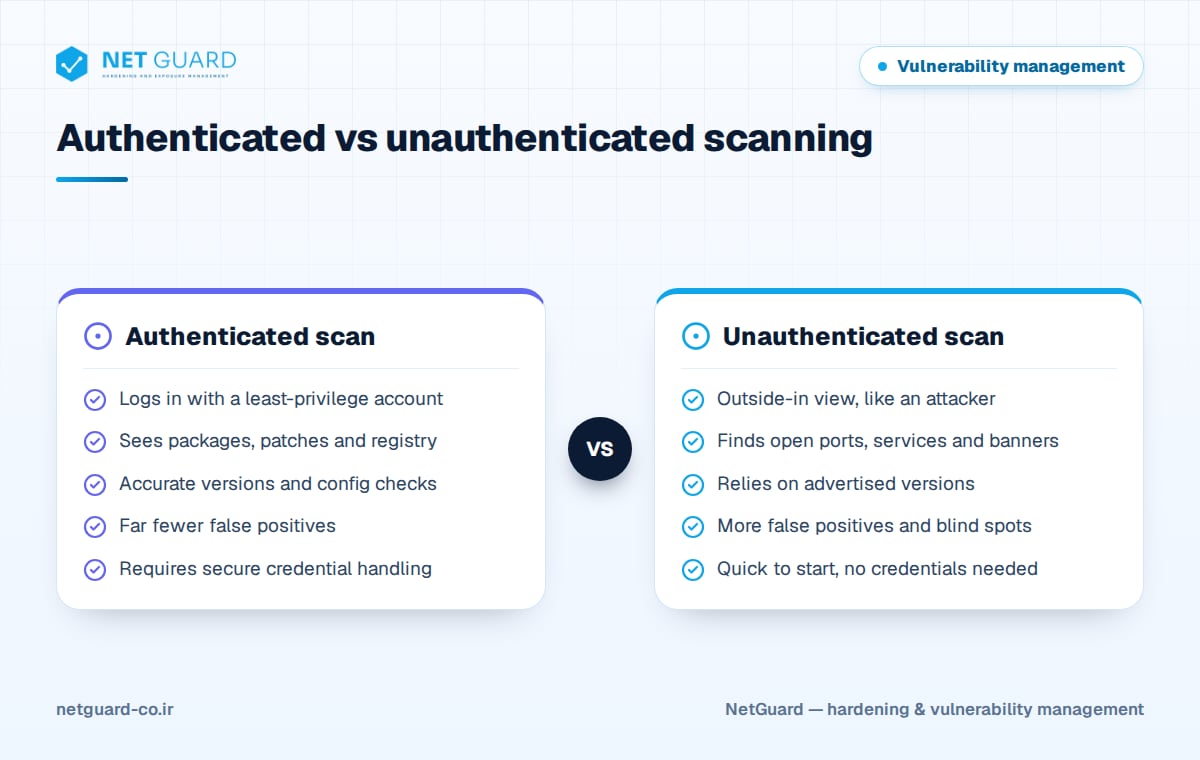
For authenticated scanning, create a dedicated scan account that no human shares, grant only the access the checks require, store credentials in a vault and rotate them, and monitor the account so any login outside scan windows raises an alert. On Linux, prefer SSH keys over passwords.
False positives and how to reduce them
A false positive is a reported vulnerability that does not actually exist. The most common cause is backporting: distributions such as Red Hat Enterprise Linux and Debian apply security fixes to the existing version without changing the upstream version number. A scanner that only reads the service banner sees a vulnerable version even though the system is patched.
Too many false positives destroy the trust of operations teams, and reports start getting ignored. False negatives, real vulnerabilities the scanner misses, are even more dangerous. To reduce both:
- Use authenticated scans wherever possible so detection relies on installed packages, not banners.
- Validate critical findings with the scanner's evidence or a quick manual check before assigning them.
- Record confirmed false positives as exceptions with a reason and an expiry date, not as permanent deletions.
- Report login failures and incomplete scans separately; a host the scanner could not log in to is not "clean".
Scanning safely in production
A common worry is that scanning will slow down or crash services. Modern scanners are safe by default, but a few precautions matter:
- Start small: run discovery first, then test a full scan on a small group of systems.
- Schedule wisely: run heavy scans during low-traffic hours or maintenance windows.
- Throttle: limit concurrent connections and parallel hosts, especially across WAN links.
- Handle fragile systems separately: isolate OT/ICS equipment, old printers and medical devices and use light or passive profiles.
- Disable dangerous checks: do not run denial-of-service style tests in production.
- Coordinate: tell the SOC and network team the scan schedule and scanner IP addresses so alerts are interpreted correctly.
How to choose a vulnerability scanner
There is no single "best" scanner; the right one fits your assets, constraints and obligations. Test candidates in a proof of concept on your real environment and check:
- Coverage: operating systems, network devices, databases, web apps, APIs, containers and cloud resources, with both authenticated and agentless scanning.
- Reporting language: executive and technical reports in the languages your management and auditors use, such as Persian and English.
- On-premises deployment: full installation inside your network, including air-gapped environments, so scan data and credentials never leave.
- Content updates: how quickly CVE and configuration checks are updated, and how updates reach isolated networks.
- Risk-based prioritization: more than CVSS, using exploit intelligence (KEV, public exploits, EPSS) and asset criticality.
- Compliance mapping: findings mapped to ISO 27001, PCI DSS and NIST to simplify audits.
- Configuration auditing: hardening checks against CIS Benchmarks and custom baselines.
- Fix verification: rescans that prove remediation and track trends over time.
- Integration: an API and connectors for ticketing and SIEM.
How NetGuard helps
NetGuard combines authenticated and agentless scanning of servers, network devices, endpoints and databases with web application and API scanning based on the OWASP Top 10. Findings are prioritized using exploit intelligence (known-exploited vulnerabilities and public exploits) and asset criticality, mapped to ISO 27001, PCI DSS and NIST, and delivered as executive and technical reports in Persian and English. It runs on-premises or air-gapped, receives regular CVE and CIS content updates and rescans to verify fixes. Learn more on the NetGuard vulnerability scanner page.
Frequently asked questions
What is the best vulnerability scanner?
The best scanner for one organization is not necessarily right for another. Judge candidates on coverage of your assets, detection accuracy with authenticated scans, speed of content updates, risk-based prioritization, on-premises deployment and reporting in the languages you need. The most reliable method is to run a proof of concept with two or three tools on part of your real network and compare findings, false-positive rates and report quality.
How often should you run vulnerability scans?
Many standards set a minimum; PCI DSS, for example, requires internal and external scans at least once every three months and after significant changes. With new vulnerabilities published daily, a quarterly gap is too long for critical and internet-facing assets. A common approach is weekly or continuous scanning for those assets and monthly scanning for the rest of the network.
Can vulnerability scanning crash servers?
Standard scans with safe profiles rarely cause problems on modern servers, especially authenticated scans that read most data directly from the system. The real risk lies with legacy or fragile equipment such as industrial control systems. Disabling dangerous checks, throttling, scheduling scans sensibly and piloting on a small group first keep that risk to a minimum.
What is the difference between vulnerability scanning and penetration testing?
Vulnerability scanning is broad, largely automated and repeated often, aiming to find as many known weaknesses across all assets as possible. Penetration testing is deep and human-driven: a tester tries to actually exploit weaknesses and demonstrate attack paths. They are not substitutes; scanning delivers breadth and continuity, while penetration testing delivers depth and proof of real-world risk.
Is it safe to give a scanner credentials?
Yes, if you follow good practice. Use a dedicated least-privilege account, store credentials encrypted in a vault, rotate them regularly and monitor the account's logins. The benefit of authenticated scanning, far higher accuracy and visibility into patches and configuration, usually outweighs the controlled risk of storing scan credentials.
- #what is a vulnerability scanner
- #vulnerability scanner
- #how to choose a vulnerability scanner
- #authenticated scanning
- #agentless vulnerability scanning
- #vulnerability scanning