
What Is System Hardening? A Complete Server Hardening Guide
What is system hardening and why does it matter? A practical server hardening guide covering types, CIS and STIG baselines, a step-by-step process and pitfalls.
By NetGuardUpdated: 8 min readنسخه فارسی
System hardening is the practice of shrinking a system's attack surface by removing everything it does not need and tightening the configuration of everything that remains. In practice, server hardening means disabling unused services and protocols, restricting access, enforcing strong authentication, turning on logging and auditing, and keeping software up to date. If you want a one-line answer to "what is system hardening": it turns a default installation into a system that does exactly what it should, and nothing more.
It matters because many breaches do not start with an exotic exploit. They start with a weak configuration: a default password, legacy SMBv1, a management port exposed to the internet, or an account nobody uses anymore. Patching is essential, but without hardening you are still leaving the door half open.
What is system hardening, and how is it different from patching?
Security weaknesses come from two places: flaws in code and poor configuration choices. Code flaws usually receive a CVE identifier and are fixed by installing a vendor patch. No patch, however, will disable an insecure protocol you left enabled or fix an admin account with a weak password. That is the job of hardening.
| Topic | Hardening | Patch management |
|---|---|---|
| Goal | Remove insecure settings and unneeded features | Fix security bugs in code |
| Reference | CIS Benchmarks, STIGs, vendor guides | Vendor advisories and CVEs |
| Example | Disable SMBv1, require NLA for RDP | Install monthly Windows updates |
| Main risk | Configuration drift over time | Delayed patch deployment |
| Measured by | Configuration audit against a baseline | Vulnerability scanning |
The two are complementary and run side by side in a mature program. Read more about the second half in our patch management guide.
Core hardening principles
- Least privilege: every user and service gets only the permissions it needs.
- Least functionality: any role, service, module or port that is not used is removed or disabled.
- Defense in depth: do not rely on a single control; firewalling, strong authentication, logging and monitoring work together.
- Secure by default: build from a hardened golden image instead of fixing systems after deployment.
Why server hardening matters
- Smaller attack surface: a service that is not running cannot be exploited, even if a zero-day is found in it tomorrow.
- Harder lateral movement: unique local admin passwords, LLMNR turned off and restricted RDP make it much harder for an attacker to move from one server to the next.
- Compliance: ISO/IEC 27001:2022 control 8.9 covers configuration management, PCI DSS Requirement 2 demands secure configurations, and most national and sector regulations expect documented hardening.
- Better detection and response: proper audit policies and log collection shorten the time to detect and investigate incidents.
- Stability: systems that follow a shared baseline are easier to operate and troubleshoot.
Types of system hardening
Hardening is not limited to the operating system. Every layer that has a configuration needs it.
Operating system hardening
The foundation: accounts and password policy, unnecessary services, host firewall, audit policy, file permissions and kernel settings. For hands-on detail, see our Windows Server hardening checklist and Linux server hardening checklist.
Server and service hardening
Web servers (IIS, Nginx, Apache), DNS, mail and middleware each have their own settings: remove default pages and modules, hide version banners, allow only TLS 1.2 and 1.3, and run services under low-privilege accounts.
Network device hardening
Routers, switches and firewalls should lose default credentials, insecure management protocols such as Telnet and SNMPv1/v2c, and management interfaces reachable from user networks. Segmentation and a dedicated management network belong here too.
Database hardening
Remove sample databases and accounts, encrypt connections, restrict network access to the database server, audit logins and sensitive changes, and separate application accounts from administrative ones.
Application hardening
Security headers, secure session and cookie handling, debug mode off in production and no verbose error messages. This layer maps directly to Security Misconfiguration in the OWASP Top 10.
Cloud and container hardening
In the cloud, misconfiguration looks different: public storage buckets, security groups open to 0.0.0.0/0 and over-privileged IAM roles. In containers, the usual suspects are running as root, privileged containers and outdated images.
Hardening baselines: CIS, STIG and vendor guides
You do not need to write a settings list from scratch. Well-established references exist:
| Baseline | Publisher | Key trait | Best for |
|---|---|---|---|
| CIS Benchmarks | Center for Internet Security | Consensus-based, Level 1 and Level 2 profiles | Most organizations, starting point |
| DISA STIGs | US Department of Defense | Very strict, CAT I to III severity | Very high-security environments |
| Vendor guides | Microsoft, Red Hat, Cisco and others | Product-specific, e.g. Microsoft Security Baselines | Complementing CIS per product |
| Internal baseline | Your organization | The above plus documented exceptions | Practical, auditable enforcement |
A practical approach is to start with the Level 1 profile of the relevant CIS Benchmark, tailor it to business needs and publish the result as your official baseline. A documented baseline is what future audits measure against.
A step-by-step hardening process
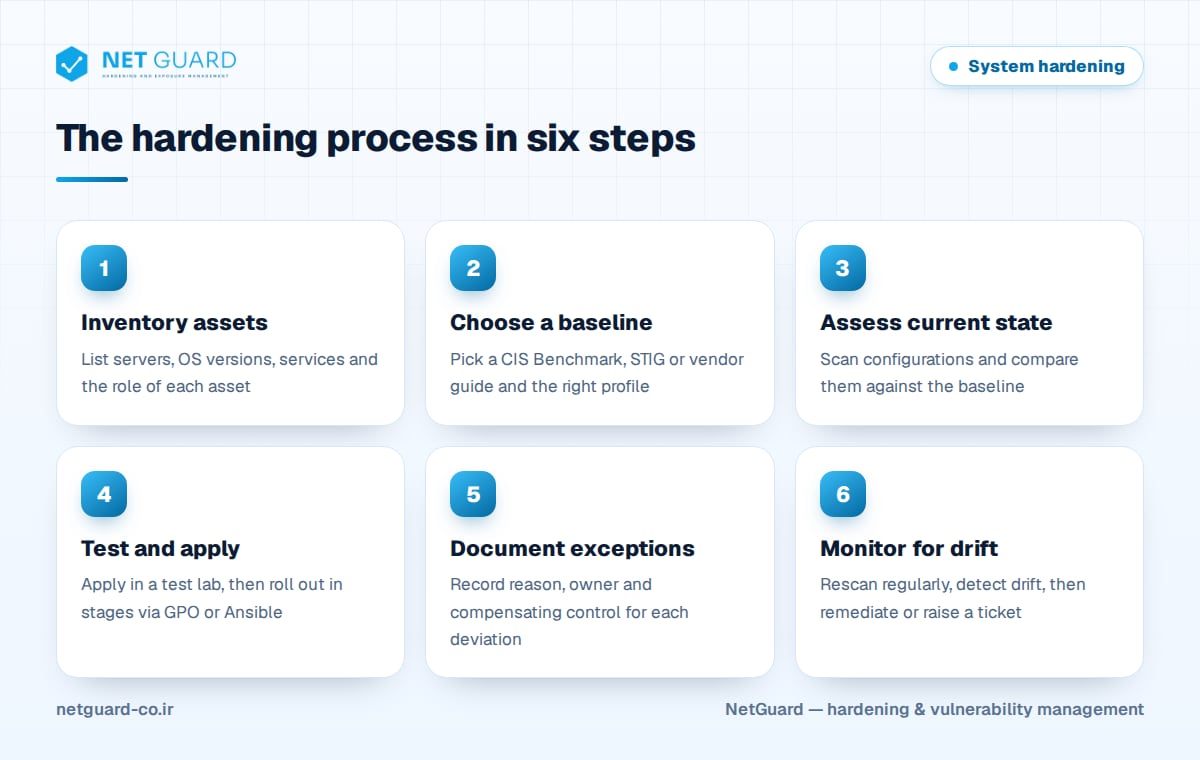
Hardening is a cycle, not a one-off project:
- Inventory assets: list every server, its OS version, role and owner. What is not on the list does not get hardened.
- Choose a baseline: select the right benchmark and profile per asset type, for example Member Server versus Domain Controller.
- Assess the current state: use a configuration audit tool to measure the gap and rank findings by risk.
- Test in a lab: apply changes to test systems or a small pilot group first and check application impact.
- Roll out in stages: deploy with Group Policy, Ansible or another configuration management tool, wave by wave, with a rollback plan.
- Document exceptions: every setting not applied for business reasons needs a reason, owner, compensating control and review date.
- Monitor and remediate drift: rescan regularly, detect deviations from the baseline and fix them.
Common hardening mistakes
- Applying everything without testing: pushing a full Level 2 profile to production can break services and destroy trust in the project.
- Hardening once: a server that was perfect on day one drifts after six months of manual changes and rushed fixes.
- Only hardening internet-facing systems: attackers who land on a workstation will exploit weak internal servers next.
- Forgetting the upper layers: a hardened OS running a database with default credentials is not secure.
- Undocumented exceptions: "disabled for now" with no owner or date usually means forever.
- Turning off logs to save disk: without logs you can neither detect nor investigate an incident.
Automation and configuration drift
Configuration drift is the gradual divergence of real system settings from the approved baseline. It is rarely malicious: an admin opens a firewall rule or enables a service to fix an urgent issue and never reverts it. The only sustainable answer is automation:
- Configuration as code: define hardening settings as GPOs, Ansible roles, PowerShell DSC or Puppet so they are repeatable, versioned and reviewed.
- Hardened images: build new servers from a hardened golden image or template, not a default install.
- Continuous auditing: schedule configuration scans so drift is seen within days, not months.
- Remediation workflow: each deviation is either fixed automatically or becomes a ticket with a clear owner.
- Metrics: report baseline compliance per asset group so progress is visible.
How NetGuard helps
NetGuard audits the configuration of servers, network devices and databases against CIS Benchmarks and your own custom baselines, detects configuration drift, and prioritizes findings alongside vulnerabilities using asset criticality. Findings map to ISO 27001, PCI DSS and NIST, reports are available in English and Persian, and rescans verify that fixes actually worked. The platform can be deployed on-premises, including air-gapped networks. Learn more on the NetGuard hardening audit page.
Frequently asked questions
What is system hardening in simple terms?
System hardening means tightening a system's configuration so there are fewer ways to break in. Unneeded services and protocols are disabled, access is restricted, passwords and authentication are strengthened, and logging and auditing are enabled. The result is a system that only does what it is supposed to do and is more resistant to common attacks, including attacks that exploit vulnerabilities in features you never needed.
What is the difference between hardening and vulnerability scanning?
Vulnerability scanning mainly finds software with known flaws (CVEs) and missing patches, while hardening deals with settings such as insecure protocols, weak password policies or excessive permissions. A fully patched server can still be poorly configured. That is why configuration auditing and vulnerability scanning work best as one program, with findings from both prioritized together by risk and asset importance.
Which standard should I start with for server hardening?
For most organizations, the Level 1 profile of the CIS Benchmark for the specific OS or product is the best starting point, because it balances security with keeping systems functional. Vendor guidance such as Microsoft Security Baselines complements it well. Highly sensitive environments can move to Level 2 or DISA STIGs, provided changes are tested carefully before deployment.
Can hardening break applications?
Yes, if it is done without testing. Settings such as disabling old TLS versions or requiring SMB signing can cut off legacy systems. The safe approach is to test in a lab, roll out in stages and keep a rollback plan. Settings that cannot be applied for business reasons should be recorded as documented exceptions with an owner and a compensating control.
How often should hardening be audited?
At least monthly, and weekly for critical or internet-facing systems. You should also re-audit after significant changes such as an OS upgrade, a new server role or a new benchmark release. The goal is to catch configuration drift within days so attackers do not get a long window to exploit a weakened setting.
- #what is system hardening
- #server hardening
- #system hardening guide
- #hardening checklist
- #security baseline
- #configuration drift
- #CIS Benchmarks