
Database Hardening: SQL Server, Oracle, MySQL and PostgreSQL
Database hardening checklist for SQL Server, Oracle, MySQL and PostgreSQL: default accounts, least privilege, TLS, TDE, auditing, risky features and backups.
By NetGuardUpdated: 7 min readنسخه فارسی
Database hardening is the process of securing a database server's configuration so that only the right people and applications can reach the data, with the least privilege they need, over encrypted connections, with every sensitive action logged. It covers default accounts, authentication modes, encryption in transit and at rest, risky built-in features, network exposure, patching and backups.
Databases hold the data attackers actually want: customer records, payment data and credentials. Many incidents involve no exotic exploit, just a database port reachable from the wrong network, an application connecting as sa or root, or a forgotten feature such as xp_cmdshell that turns SQL injection into full server compromise. The same principles apply to SQL Server, Oracle, MySQL and PostgreSQL; only the settings differ.
Database hardening principles for every engine
The table maps the main controls to each engine. It is a starting point; the CIS Benchmarks provide detailed, version-specific checks for all four.
| Control | SQL Server | Oracle | MySQL | PostgreSQL |
|---|---|---|---|---|
| Built-in admin account | sa |
SYS, SYSTEM | root | postgres |
| Preferred authentication | Windows Authentication | Strong password verifiers, profiles | caching_sha2_password | scram-sha-256 |
| Encryption at rest | TDE | TDE (Advanced Security option) | InnoDB data-at-rest encryption | Disk or filesystem encryption |
| Native auditing | SQL Server Audit | Unified Auditing | Audit plugins or Enterprise Audit | pgaudit extension, logging |
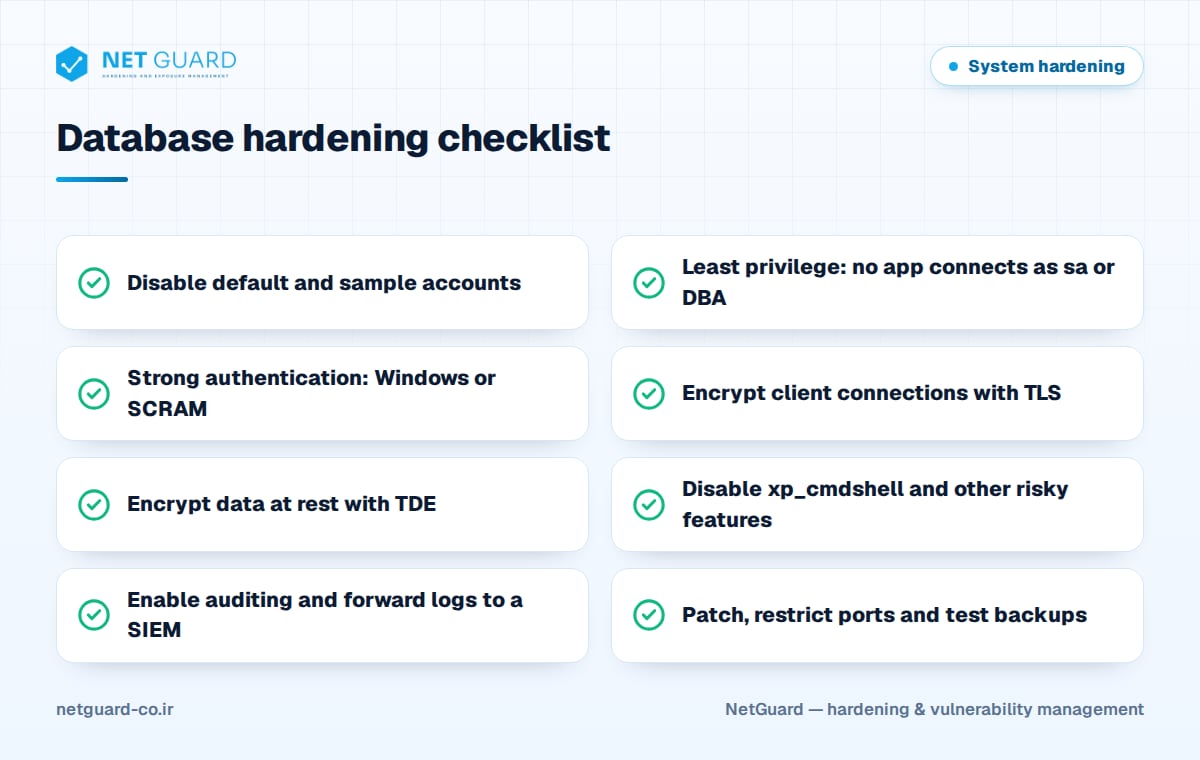
Accounts, authentication and least privilege
Default and sample accounts
Disable or lock every account you do not use. In SQL Server, disable the sa login and use named administrator accounts instead. In Oracle, query DBA_USERS_WITH_DEFPWD to find accounts still using default passwords, then lock sample schemas such as SCOTT. In MySQL, mysql_secure_installation removes anonymous users and the test database and disables remote root logins.
Authentication modes
Prefer integrated authentication where possible: SQL Server in Windows Authentication mode, with SQL logins only when an application truly needs them. In PostgreSQL, use scram-sha-256 and never trust in pg_hba.conf for network connections. In MySQL 8, keep caching_sha2_password as the default plugin. Enforce password policy and lockout for any remaining database-native logins.
Least privilege
- Each application gets its own login with only the permissions on its own schema.
- No application connects as
sa,root,postgres, SYS or a DBA-role user. - Grant permissions to roles, not to individual users, and review membership regularly.
- Remove unneeded grants to PUBLIC and disable the
guestuser in SQL Server user databases. - Separate DBA duties from audit duties, so administrators cannot erase their own audit trail.
Encryption in transit and at rest
Encrypt every client connection with TLS and validate server certificates on clients. Useful settings include SQL Server's Force Encryption option, MySQL's require_secure_transport = ON, PostgreSQL ssl = on with hostssl entries, and Oracle network encryption configured in sqlnet.ora.
For data at rest, Transparent Data Encryption (TDE) encrypts data and log files so stolen disks or backup files are useless without the key. In SQL Server:
USE master;
CREATE MASTER KEY ENCRYPTION BY PASSWORD = '<strong-password>';
CREATE CERTIFICATE TDE_Cert WITH SUBJECT = 'TDE certificate';
BACKUP CERTIFICATE TDE_Cert TO FILE = 'D:\Keys\TDE_Cert.cer'
  WITH PRIVATE KEY (FILE = 'D:\Keys\TDE_Cert.pvk',
  ENCRYPTION BY PASSWORD = '<another-strong-password>');
USE SalesDB;
CREATE DATABASE ENCRYPTION KEY WITH ALGORITHM = AES_256
  ENCRYPTION BY SERVER CERTIFICATE TDE_Cert;
ALTER DATABASE SalesDB SET ENCRYPTION ON;
Back up the certificate and private key to a separate, protected location: without them, an encrypted database cannot be restored. Community PostgreSQL has no built-in TDE, so use full-disk or filesystem encryption instead.
Disable dangerous features
Many engines ship features that let a database user run operating system commands or reach the network. If an attacker finds SQL injection, these features decide whether the damage stays inside the database.
EXEC sp_configure 'show advanced options', 1; RECONFIGURE;
EXEC sp_configure 'xp_cmdshell', 0;
EXEC sp_configure 'Ole Automation Procedures', 0;
EXEC sp_configure 'Ad Hoc Distributed Queries', 0;
RECONFIGURE;
EXEC sp_configure 'show advanced options', 0; RECONFIGURE;
- SQL Server: also review CLR integration,
cross db ownership chaining, the TRUSTWORTHY property on user databases and linked servers mapped to high-privilege logins. - Oracle: revoke EXECUTE on packages such as UTL_FILE, UTL_TCP, UTL_HTTP and UTL_SMTP from PUBLIC after testing application dependencies.
- MySQL: set
local_infile = OFF, restrictsecure_file_privto a dedicated directory, and avoid granting FILE or SUPER. - PostgreSQL: limit superuser accounts, avoid untrusted languages such as plpython3u, and control who holds
pg_execute_server_program, which allowsCOPY ... PROGRAM.
Network exposure, patching and auditing
Network exposure
A database port should never be reachable from the internet. Bind the service to an internal interface, place servers in a dedicated network segment, and allow only application and admin hosts through firewalls.
# MySQL (my.cnf)
[mysqld]
bind-address = 10.20.0.15
require_secure_transport = ON
local_infile = OFF
# PostgreSQL pg_hba.conf
hostssl  appdb  appuser  10.20.0.0/24  scram-sha-256
host     all    all      0.0.0.0/0     reject
Disable the SQL Server Browser service if named instances do not need it, and restrict Oracle listener access with valid node checking.
Patching
Apply SQL Server cumulative updates, Oracle's quarterly Critical Patch Updates and MySQL or PostgreSQL minor releases through a tested patch management process. Unsupported database versions should be planned out of production.
Auditing
Audit successful and failed logins, privilege and role changes, schema changes, use of administrator accounts and access to sensitive tables. Forward audit records to a SIEM; logs stored only on the database server can be altered by whoever compromises it. Frameworks such as PCI DSS 4.0 explicitly expect this kind of logging for cardholder data.
Backup security
Backups are a full copy of your data and need the same protection as the database:
- Encrypt backup files and store keys separately.
- Restrict access to backup shares and accounts.
- Keep at least one offline or immutable copy to survive ransomware.
- Test restores on a schedule, including TDE-encrypted databases.
- Document recovery steps and expected recovery times.
How NetGuard helps with database hardening
NetGuard performs authenticated vulnerability scans of database servers to find missing patches and unsupported versions, and audits their configuration against CIS Benchmarks and your own baselines, covering settings such as enabled risky features, authentication modes and encryption. Drift detection highlights changes that weaken a hardened configuration, findings are prioritized by exploit intelligence and asset criticality, and results can be mapped to ISO 27001, PCI DSS and NIST. To plan an assessment, contact our team.
Frequently asked questions
What is database hardening?
Database hardening is the process of reducing a database server's attack surface by removing default accounts, enforcing least privilege and strong authentication, encrypting data in transit and at rest, disabling risky features, limiting network exposure, auditing sensitive actions, patching regularly and protecting backups. It applies to SQL Server, Oracle, MySQL, PostgreSQL and other engines.
How do I harden SQL Server?
Use Windows Authentication mode, disable the sa login, and give each application its own least-privilege login. Disable xp_cmdshell, Ole Automation Procedures and Ad Hoc Distributed Queries, enforce encrypted connections, enable TDE for sensitive databases and configure SQL Server Audit. Keep the instance on a supported version with current cumulative updates, and audit it against the CIS Benchmark.
Is TDE enough to protect a database?
No. TDE protects data files, log files and backups when they are copied or stolen, but it does not stop an attacker who connects with valid credentials or exploits SQL injection, because the engine decrypts data for authorized queries. TDE must be combined with least privilege, strong authentication, TLS, auditing and secure application code.
Why is xp_cmdshell dangerous?
xp_cmdshell lets SQL Server execute operating system commands with the privileges of the SQL Server service account. If an attacker gains SQL injection or a high-privilege login, an enabled xp_cmdshell turns database access into control of the server. It is disabled by default and should stay disabled unless there is a documented business need.
How do I secure PostgreSQL connections?
Set listen_addresses to an internal interface, enable ssl, and use hostssl entries with the scram-sha-256 method in pg_hba.conf. Avoid the trust method for network connections, end the file with a reject rule, and restrict the database port with a firewall so only application and admin hosts can connect.
- #database hardening
- #SQL Server hardening
- #PostgreSQL security
- #MySQL hardening
- #Oracle database security
- #transparent data encryption